Decimal Hours Calculator: Convert Shift Times
Looking for a decimal hours calculator? Here is the formula in both directions, the full conversion chart for all 60 minutes, and the four conversion mistakes that cause the most trouble on timesheets in medical practices and care teams.
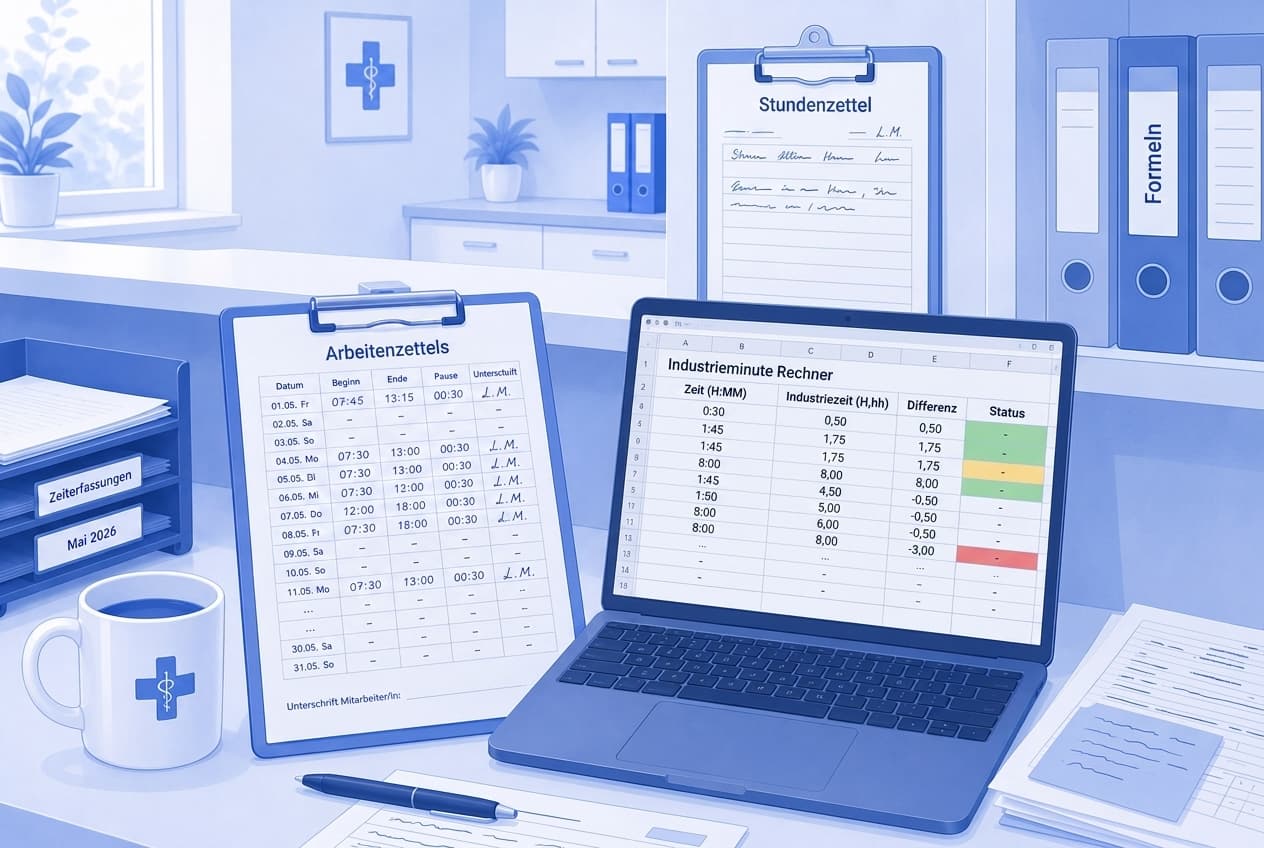
Table of Contents
If you are looking for a decimal hours calculator, you probably have a timesheet in front of you and one question in mind: what goes in the column when somebody worked 7 hours and 45 minutes? The answer is 7.75, not 7.45. That single slip is the classic conversion error, and it does not go away through carefulness — only through a rule you understand once. To convert minutes to decimal hours you need exactly one division, and this article gives you that formula in both directions, the full chart for all 60 minutes, a mental shortcut for everyday use, and the four mistakes that cause the most argument in a medical practice, an MVZ or a care service.
Key takeaways at a glance
- An hour has 60 real minutes but 100 decimal minutes, so one of those units is 36 seconds long.
- To convert minutes to decimal hours, divide by 60 and multiply by 100. The way back: decimal minutes times 0.6.
- A decimal hours calculator is convenient but optional once you know the rule of three: three real minutes are exactly five decimal minutes.
- Decimal hours calculator or chart? For the quarter-hour values 15, 30 and 45, memorising 25, 50 and 75 is enough.
- The expensive mistake is not rounding, it is unchecked copying: writing 7:45 as 7.45 instead of 7.75 quietly drops 18 minutes.
What decimal hours are and why practices need them
Decimal hours are not a different amount of time, just a different notation. Instead of splitting the hour into 60 parts, they split it into 100. One decimal minute — in German practice software often called an Industrieminute — is therefore 0.6 real minutes or 36 seconds long, and 7:45 becomes 7.75. The same thing goes by several names: decimal hours, industrial minutes, decimal time.
The reason for the switch is mundane. Neither a pocket calculator nor a spreadsheet handles base-60 numbers well unless you explain the format to it. Adding 7:45 and 6:30 in your head is doable, but once twenty rows sit underneath each other, people start estimating. In decimal notation the same sum is 7.75 plus 6.50 equals 14.25 — and it still holds when a formula does the work.
In day-to-day practice life the conversion shows up in three places. On the handwritten timesheet at the front desk, because nobody writes 7.92 there; they write 7:15 to 15:40. In the handover to payroll, where decimal values are the expected input. And in the overtime account, because a balance of "minus two hours and forty minutes" is harder to read than minus 2.67.
An example from an ordinary week. A medical assistant works the early shift from 7:15 to 15:40 with a 30 minute break, which is 7 hours 55 minutes net, or 7.92. On Saturday there is emergency duty from 8:00 to 12:20 without a break, so 4 hours 20 minutes, or 4.33. The apprentice worked in the practice from 8:00 to 13:10 on her vocational school day, 5 hours 10 minutes, or 5.17. Together that is 17.42. Convert it back and you land on 17 hours and 25 minutes — exactly what adding the times in the 60-minute format gives you.
Decimal hours calculator: the formula in both directions
Each direction is a single line. Every decimal hours calculator on the web does nothing but this one division, so if you write it down and stick it to your monitor, you can stop looking the tool up.
Convert minutes to decimal hours
Decimal minutes = minutes ÷ 60 × 100. Shorter, and easier in your head: minutes ÷ 0.6. So 45 minutes become 45 ÷ 0.6 = 75, and 20 minutes become 20 ÷ 0.6 = 33.33.
What matters just as much is what you leave alone: the full hours stay as they are. Only the minute part gets converted. That is why 7:45 turns into 7 plus 0.75, so 7.75 — never 775 and never 7.45.
Here is how you walk through a whole working day:
- Note the start and end as they were: 7:15 to 15:40.
- Subtract the break while still in real minutes: 8:25 gross minus 30 minutes is 7:55 net.
- Convert the 55 minutes only: 55 ÷ 0.6 = 91.67.
- Round to two decimals and write it down: 7.92.
- Add the column at the end and convert the total back once as a check.
From decimal hours back to hours and minutes
Minutes = decimal minutes × 0.6. So 0.42 becomes 42 × 0.6 = 25.2 minutes, which is why the 17.42 from the example above is 17 hours and 25 minutes. The digit after that is the rounding remainder and has no meaning on a payslip.
The rule of three: a decimal hours calculator in your head
The most useful shortcut is hidden in the number itself: three real minutes are exactly five decimal minutes. That hands you every third value without any arithmetic: 6 → 10, 12 → 20, 18 → 30, 24 → 40, 30 → 50, 36 → 60, 42 → 70, 48 → 80, 54 → 90. Every time whose minute part divides by three comes out clean — and in a practice that covers most of them, because shifts rarely start at 7:07.
For everything in between, remember that one minute is roughly 1.67. Seven minutes are therefore about 11.67, and anyone sitting between two clean values simply adds or subtracts 1.67 for each minute.
 With medishift your team clocks in and out with a timer, and breaks are recorded and deducted along the way. Included from the Premium plan — try it out here!
The decimal hours conversion chart for all 60 minutes
A decimal hours conversion chart is what most people actually want when they start searching: something printable that can sit next to the timesheet. Real minutes on the left, decimal minutes next to them.
| Min | Dec. | Min | Dec. | Min | Dec. | | --- | ----- | --- | ----- | --- | ----- | | 0 | 0.00 | 20 | 33.33 | 40 | 66.67 | | 1 | 1.67 | 21 | 35.00 | 41 | 68.33 | | 2 | 3.33 | 22 | 36.67 | 42 | 70.00 | | 3 | 5.00 | 23 | 38.33 | 43 | 71.67 | | 4 | 6.67 | 24 | 40.00 | 44 | 73.33 | | 5 | 8.33 | 25 | 41.67 | 45 | 75.00 | | 6 | 10.00 | 26 | 43.33 | 46 | 76.67 | | 7 | 11.67 | 27 | 45.00 | 47 | 78.33 | | 8 | 13.33 | 28 | 46.67 | 48 | 80.00 | | 9 | 15.00 | 29 | 48.33 | 49 | 81.67 | | 10 | 16.67 | 30 | 50.00 | 50 | 83.33 | | 11 | 18.33 | 31 | 51.67 | 51 | 85.00 | | 12 | 20.00 | 32 | 53.33 | 52 | 86.67 | | 13 | 21.67 | 33 | 55.00 | 53 | 88.33 | | 14 | 23.33 | 34 | 56.67 | 54 | 90.00 | | 15 | 25.00 | 35 | 58.33 | 55 | 91.67 | | 16 | 26.67 | 36 | 60.00 | 56 | 93.33 | | 17 | 28.33 | 37 | 61.67 | 57 | 95.00 | | 18 | 30.00 | 38 | 63.33 | 58 | 96.67 | | 19 | 31.67 | 39 | 65.00 | 59 | 98.33 |
Two notes on rounding. First, values such as 1.67 or 33.33 are rounded; exactly, they would run on forever. Two decimal places are the usual compromise, and the error then stays at 18 seconds at most for a single entry. The chart does nothing the formula does not do; it simply spares you the arithmetic when you have to convert minutes to decimal hours between two patients. Second, round at the end of the row, not in between. Rounding every intermediate step lets the deviations pile up.
Four mistakes no decimal hours calculator catches
Search for a decimal hours calculator and you will find dozens of tools that all master the same division. None of them checks whether you typed the right number in — and that is where the discrepancies your team argues about later come from.
Mistake 1: the colon turns into a decimal point
The classic one. 7:45 becomes 7.45 instead of 7.75, and 18 minutes vanish. It works the same way in the other direction: entering 7:15 as 7.15 instead of 7.25 gives away 6 minutes. A decimal hours calculator is no help at this point, because it dutifully returns 7.45 when you feed it 7.45. Neither slip stands out during proofreading, because the number looks plausible. The only reliable check is the way back: does the decimal value times 0.6 reproduce the minute part written on the sheet?
Mistake 2: dividing on the way back instead of multiplying
If you want to turn 7.75 back into minutes and divide 75 by 0.6, you end up at 125 and notice at the latest here that something is off. You divide on the way there and multiply on the way back: 75 × 0.6 = 45. If you only want to remember one thing, remember the 0.6 — both formulas are built from that single number.
Mistake 3: subtracting the break in the wrong format
A gross span of 8:25 should have a 30 minute break taken off it. Convert first and then subtract 30, and you are calculating 8.42 minus 30, which is nonsense. Two routes work: take the break off in real minutes first (8:25 minus 0:30 is 7:55, then convert to 7.92), or convert the break as well (30 minutes are 0.50, so 8.42 minus 0.50 is 7.92). Both give the same result. What never works is mixing the two.
Mistake 4: two formats in one column
When the timesheet travels through the practice as a file, one colleague enters 7:45 and the next one 7.75. A spreadsheet reads the first as a time value and the second as a number, and the total underneath is wrong without any error message. So decide in advance which format belongs in which column and label them clearly. If you would rather start from a finished structure, our timesheet for Excel and the work time tracking template are free and set the columns for you.
From decimal hours calculator to an automatic total
A short word on the format question. Section 16 (2) of the German Working Hours Act requires records of the working time that goes beyond eight hours on a working day, and of work on Sundays and public holidays (§ 16 ArbZG). For marginally employed staff — in many practices the cleaner or the front-desk stand-in — Section 17 (1) of the Minimum Wage Act additionally requires the start, end and duration of daily working time to be recorded by the end of the seventh calendar day following the day worked, and those records to be kept for at least two years (§ 17 MiLoG). That working time has to be recorded systematically at all was derived from the Occupational Health and Safety Act by the Federal Labor Court on 13 September 2022 (BAG, Az. 1 ABR 22/21). None of these sources prescribes a number format: whether the sheet says 7:45 or 7.75 makes no difference to either provision, as long as the duration remains verifiable. This is not legal advice — when in doubt, your tax adviser or an employment lawyer will settle it.
That leaves the conversion as a pure convenience question, and the best decimal hours calculator is the one you never have to open. Recording times digitally removes the conversion exactly where it is most error-prone: at the moment somebody copies a number off a sheet. In medishift your team clocks in and out with a timer or enters the hours actually worked afterwards; breaks are recorded and deducted from working time. Rules decide whether recorded hours are approved automatically or have to be released manually, and later corrections run through their own request-and-decision path. Recorded times feed the overtime account and the target-versus-actual hours report, so the balance builds up continuously instead of being added up at month end. Time tracking is included from the Premium plan; for the wider picture, see our time tracking topic page.
What none of this removes: if your payroll expects decimal values, you still need them. The difference is that you produce them once from a checked total instead of thirty times from individual handwritten rows — and that nobody turns a colon into a decimal point along the way. For everything else the summary is short. The formula is one line, the decimal hours conversion chart above fits on a single sheet, and three minutes are five decimal minutes. Whether you open a decimal hours calculator, print the chart or keep the rule of three in your head makes no difference to the result. It makes a considerable difference to the number that ends up on the payslip.