Mobile Time Tracking in Medical Practices
Mobile time tracking in a medical practice: what German law actually requires, why GPS and personal phones are the real hurdle, and how to roll out clocking in by phone in five steps without a queue forming at reception at seven in the morning.
Table of Contents
A terminal at reception, and three medical assistants standing in front of it in their coats just before seven — that is usually the moment a practice starts thinking about mobile time tracking. The questions behind it are rarely technical. They are: is my team even allowed to record hours on a phone, what happens to location data, and who clocks the home visit? This article answers exactly that — the legal frame with sources, the everyday situations in a practice where mobile time tracking genuinely changes something, and a five-step rollout. Not legal advice, but the things worth knowing before you decide.
Key takeaways at a glance
- Mobile time tracking is permitted: neither the German Working Hours Act nor the relevant rulings prescribe a recording medium — paper, terminal and smartphone rank equally (Section 16 (2) ArbZG).
- The European Court of Justice (case C-55/18) and the Federal Labour Court (case 1 ABR 22/21) established the duty to record hours, not the choice of device.
- The sensitive part is not the timestamp but the location: GPS coordinates are personal data and need a purpose of their own (Art. 5 (1) (c) GDPR).
- A mobile time clock pays off above all where nobody is sitting at the reception computer: home visits, external training, a branch site, weekend on-call duty.
- Time tracking on the go replaces no process: without daily target hours on file you get a second column of numbers, not a balance.
- Do not count on personal phones. Plan a second route from day one — otherwise somebody ends up estimating at the end of the month.
Mobile time tracking: what it actually means in a practice
Mobile time tracking means hours get recorded where they happen, on the device the person is already holding. That sounds like a detail and is in fact the whole difference. A practice does not record time in one place but in five: at reception, in the lab, in the treatment room, at the branch site, and out on the road. Any solution that knows only one of those places produces gaps, and somebody fills those gaps later from memory.
The reception computer is not a time clock
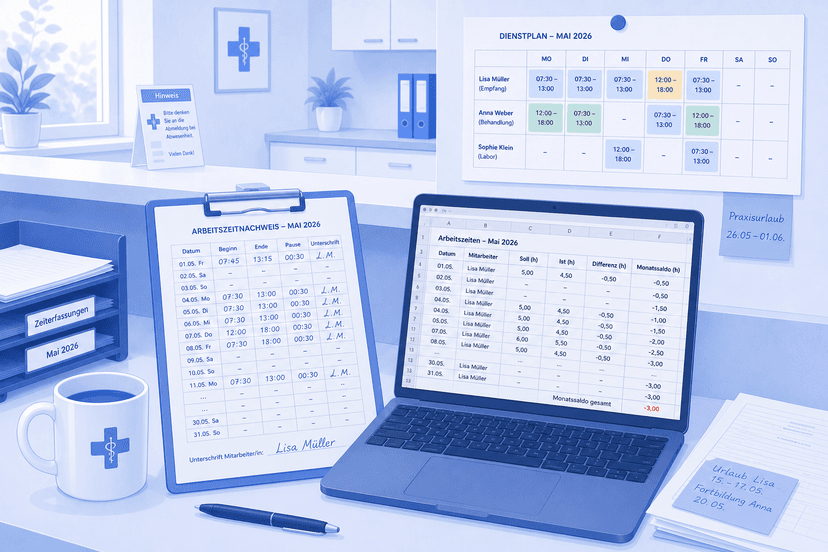
Work through a typical shift change. The early shift starts at 7:00, and three colleagues arrive at the same time. The computer at reception is the same machine that runs the practice management system and starts calling patients in at 7:15. Anyone logging in and out there one after another is queuing. And at 12:00, when the late shift begins, the seat is taken — somebody is sitting there working.
What actually happens in that situation is familiar to every practice. People clock in later, "roughly". 7:00 becomes 7:10 because you hung up your coat first, and the missed clock-out at 15:30 turns into a figure somebody reconstructs on Friday from memory. Approximate hours are the beginning of every argument about overtime — and they are why a record that formally exists can still be worth nothing. That is the gap mobile time tracking closes: not because a phone is more modern than a terminal, but because it is where the shift actually starts.
The cases where nobody is at a computer
Four situations come up again and again in practices and medical care centres, and a fixed terminal helps in none of them:
The home visit. In general practice, and even more so in nursing care, working time starts at the car and ends at the last patient's front door. Entering that at reception afterwards is reconstruction, not recording.
External training. A medical assistant driving to mandatory training on a Tuesday is working — just not at the practice. Time tracking on the go is the only route here that does not involve a slip of paper.
The floater between two sites. Someone scheduled at the main practice on Monday and at the branch on Wednesday faces two reception computers and two logins. A device that travels with them has none.
Weekend on-call duty. On Saturdays many practices are not running normal operations and the computer is often not even switched on. Yet that is precisely the time that counts at the end of the month, and time tracking on the go is the only route that does not depend on the building being open.
You can solve all of this on paper. You can solve it in a spreadsheet too — we wrote a separate article on when free time tracking is enough and when it stops being enough. But paper and spreadsheets solve the recording, not the reliability. The note left in the car gets hunted down at month end. A mobile time clock fixes exactly that one thing: it cuts the distance between the event and its documentation to zero.
Is mobile time tracking legally allowed in Germany?
Short answer: yes — and the question is slightly off target. German law says a great deal about whether hours are recorded and almost nothing about what with.
In its ruling of 14 May 2019 (case C-55/18) the European Court of Justice held that member states must require employers to set up an objective, reliable and accessible system for measuring daily working time. In its decision of 13 September 2022 (case 1 ABR 22/21) the German Federal Labour Court found that such a duty already follows from Section 3 (2) no. 1 of the Occupational Safety and Health Act. Neither decision says a word about terminals, punch clocks or apps.
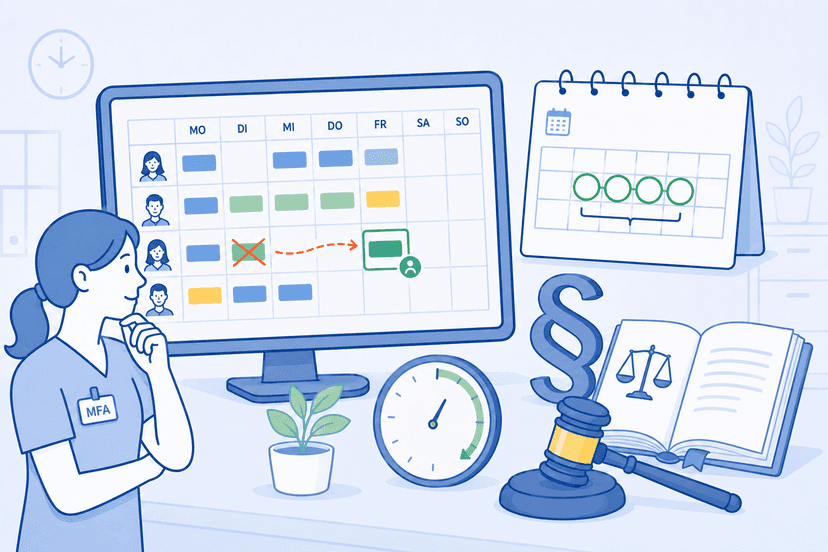
The Working Hours Act names no medium either. Section 16 (2) ArbZG requires employers to record working time that goes beyond eight hours on a working day, plus work on Sundays and public holidays, and to keep those records for at least two years. That is narrower than it is usually quoted — the provision does not blanket-cover every timesheet you might keep. How the recording happens is left open. For mobile time tracking that means a smartphone is not a special case in law, as long as the record stays objective, reliable and accessible. A mobile time clock rests on exactly the same footing as the punch clock bolted to the wall.
None of this replaces legal advice. As soon as there is a works council, a collective agreement applies, or the individual case is unclear, the question belongs with an employment lawyer — co-determination on technical monitoring systems is a topic of its own.
GPS and location data are the real hurdle
The demanding part under data protection law is not the timestamp, it is the coordinate. Location data can be attributed to a person and is therefore personal data within the meaning of Art. 4 (1) GDPR. The data minimisation principle in Art. 5 (1) (c) GDPR requires that data collected is adequate and limited to what is necessary for the purpose. The purpose "document working time" carries the timestamp — it does not automatically carry the position.
In practice that means two things for time tracking on the go. First: ask every vendor whether location capture can be switched off, before you sign. Second: switch it off if you do not need it — and in a single-site practice you do not. Even with two sites the schedule answers the question better than the phone does. Whoever is rostered to the branch on Wednesday worked there, and nobody had to be located to establish it.
A personal phone is not a given
Everyone introducing a mobile time clock makes more or less the same silent assumption: everybody has a phone. Everybody does — it just belongs to them. The apprentice without a work phone, the part-timer on a tight data plan and the colleague who keeps her phone in her locker during consulting hours are not edge cases; in any team of ten there is at least one of each.
Unlike the clocking itself, the legal position here is not settled: whether an employer can require the use of a personal phone at all is disputed. The right to issue instructions under § 106 GewO covers the content, place and time of work — not an obligation to contribute your own property; anyone who does use their own device can claim reimbursement of the expense. So the legally safe answer is the same as the organisational one: make using personal devices voluntary, talk about it openly with the team before you assume it, and always keep a second way to record hours available. Skip that and you get gaps — and gaps get estimated.
Rolling out a mobile time clock in five steps
Rollouts of mobile time tracking rarely fail on the software. They fail because three questions went unanswered: who records how, what is it measured against, and what happens when something goes wrong.
1. Choose a method per role. There are two workable methods and they suit different roles. At reception, clocking in and out with a timer works well because the start and end of the shift are clean. For doctors whose day is broken up — consulting hours, home visit, documentation in the evening — entering the hours actually worked is more honest than a stopwatch that gets forgotten three times a day. Decide this role by role, not once for everyone.
2. Enter daily target hours. Recorded time on its own says nothing. It only becomes a statement once it runs against a target. So record target hours per weekday for every person — the part-timer with four hours on Tuesday and eight on Thursday is the normal case in a practice, not the exception. Without those values there is no overtime balance worth trusting, and you end up with numbers but no answer.
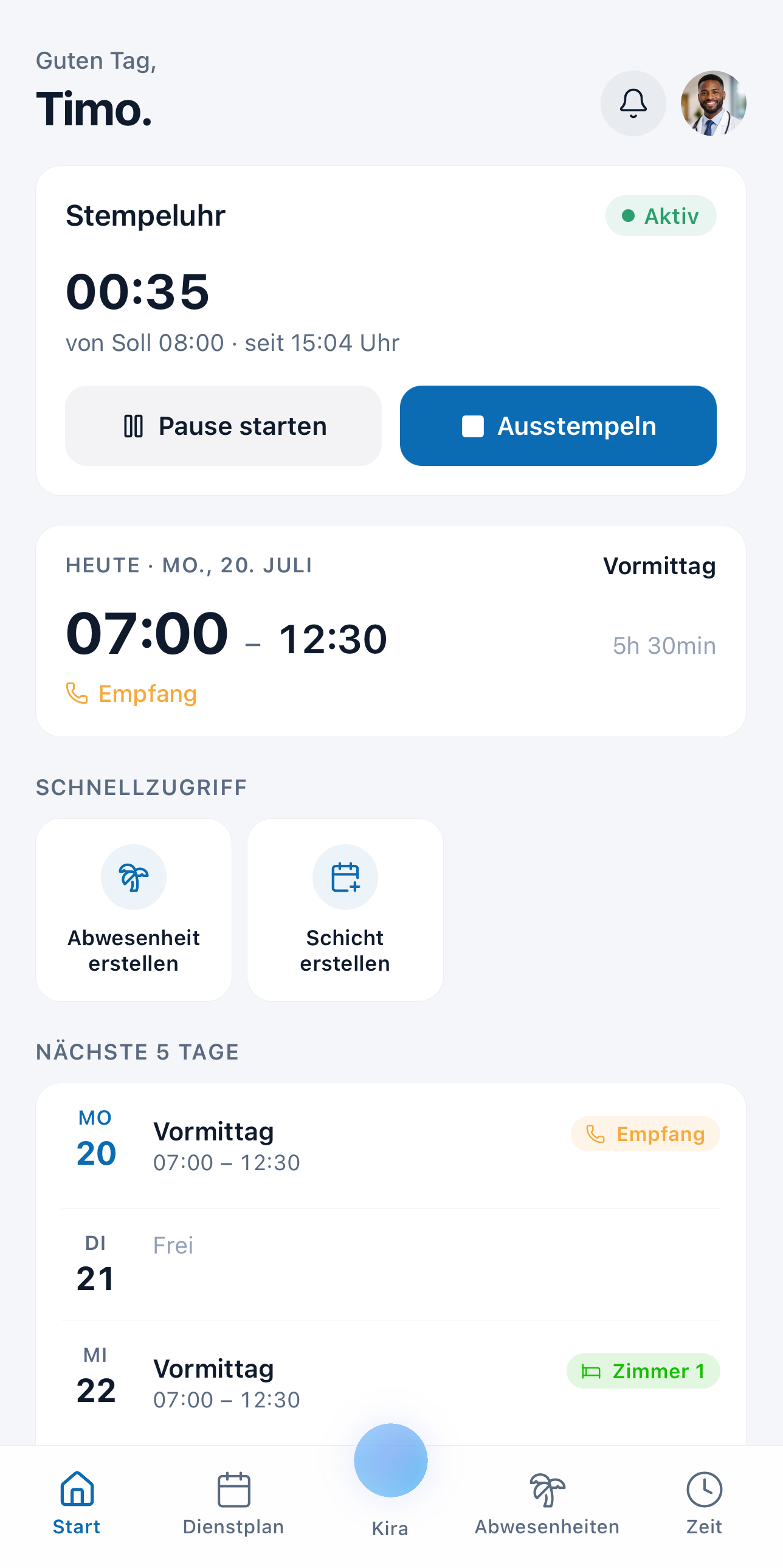 Clocking in and out straight from the medishift mobile app — target, actual and break at a glance. Time tracking is included from Premium.
3. Decide how hours get approved. Settle whether recorded hours are accepted automatically or whether somebody releases them. In a team of three where everyone knows everyone's day anyway, automatic acceptance makes sense. Once part-time contracts, variable duties and overtime enter the picture, a release step is the calmer option — it moves the clarification to the day everyone still remembers, instead of to the monthly close.
4. Provide a second way to record. Somebody will forget their phone, and somebody will miss a clock-out on Tuesday. Neither is a system failure; both are normal operations. So plan a route via the practice computer, and a proper process for after-the-fact corrections — one where a change is requested and decided, rather than shouted across the corridor.
5. Run both systems for two weeks. Keep the previous method going for two weeks and compare the totals at the end. If they diverge, you find the cause now rather than at the next payroll run. Only switch the old solution off once both routes produce the same numbers — not before, even though it looks like double work.
What medishift contributes here specifically: staff clock in and out with a timer or enter their hours manually, in the web app and in the mobile app. Breaks are recorded and deducted from working time. Rules determine whether recorded hours are approved automatically or need a release; there is a dedicated request-and-decision path for later corrections, and admins can correct their team's entries. Recorded hours feed the overtime balance and the hours report with its target-versus-actual comparison. Time tracking is included from Premium — so it is not free.
When mobile time tracking is worth it, and when it isn't
A clear position, so you are not left with "it depends": if your practice has one site, everyone works in the building, and shift changes are not simultaneous, you do not need mobile time tracking. A fixed computer is enough, and anything beyond that is effort without return. But as soon as home visits, a branch site, external training or a shift change with three people arriving at once come into play, the arithmetic tips — and what you save is not typing, it is the estimated hours at the end of the month.
Before you roll out time tracking on the go, answer the two questions the rollout actually hangs on: can location capture be switched off, and what happens when somebody does not have their phone. Teams that have answered both introduce a mobile time clock in a week rather than a quarter. Everything else on the subject is in our time tracking topic hub; if you would rather start without software, take one of our free templates.