Free Time Tracking Software: What Zero Euros Actually Buys You
Free time tracking software for your practice: which no-cost routes genuinely work, where spreadsheets and free tiers run out of road, and the point at which paying starts to make sense. An honest look for medical practices and care services.
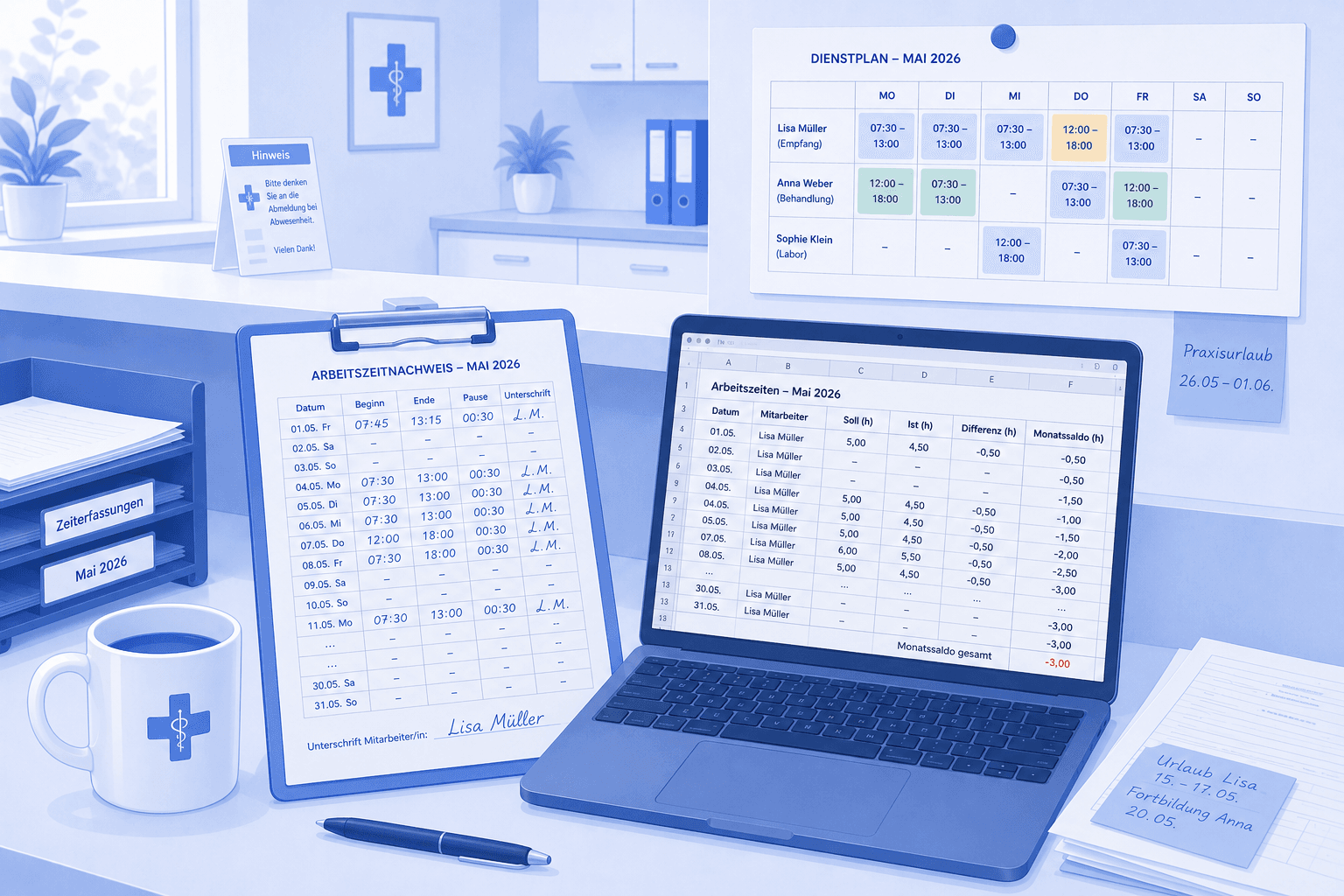
Table of Contents
Anyone searching for free time tracking software usually wants one thing: to document their team's hours properly without having to justify a budget for it. The good news is that for a small practice this genuinely works at zero cost. The less good news is that not every free route carries the same weight, and a few of them end up costing you more in time than they ever saved in money. This article walks through the no-cost options honestly, shows where each one breaks down, and names the point at which switching starts to pay — including the part where we talk you out of our own product.
Key takeaways at a glance
- Free time tracking software is a realistic option: spreadsheets, paper and the free tiers of several tools all cover the basic case.
- A free spreadsheet works well up to roughly five employees — beyond that, maintaining it costs more than the problem it solves.
- The expensive mistake isn't picking the wrong tool. It's double entry: the schedule in one place, the timesheet in another.
- Free time tracking for practices almost always means you can record hours but not really analyse them.
- To be straight about it: medishift's own time tracking is a Premium feature and therefore not free — our Excel templates are.
What free time tracking software actually means
Free is rarely free. It's usually free up to a limit, and the limit differs with every route — which is precisely why nobody advertises it. With a spreadsheet, the limit is your own time. With a free tier, it's the number of users or the depth of the features. With paper, it's whether you can analyse any of it. None of these limits appear on the landing page; you discover them by crossing them.
Medical practices have a wrinkle on top of this: your working hours hang off the schedule. A medical assistant doesn't work eight hours in one block — she works the early shift from 7:00 to 15:00 with a 30-minute break, and the late shift from 12:00 to 20:00 next week. Add part-timers with different daily targets, an apprentice with college days, and the colleague who always leaves early on Fridays. Any tool that records hours without knowing the schedule can tell you at month end that somebody worked seven hours, but not whether that was the shift they were rostered for. This is where most generic tools stop being useful to you.
So if you're introducing free time tracking software, the right question isn't "which tool costs nothing". It's "which free route fits my team size and my planning". At three employees the answer is completely different than at fifteen.
The three routes to tracking time for free
In practice, every no-cost option comes down to one of three patterns: the spreadsheet, the free tier and paper. They differ less in price — that's zero everywhere — than in when they fall over. So the useful question isn't "which is best", but "how far does each one carry". When it comes to free time tracking for practices, the honest answer depends almost entirely on how many people you're tracking.
Route 1: The spreadsheet
The classic, and honestly the best starting point for a small team. A good template weighs target hours against actual hours, deducts breaks, and carries a balance across the month. You download it, add your staff, and you're done. Cost: nothing. Learning curve: nothing, because everyone knows spreadsheets. And no vendor who moves you onto a paid tier in two years.
We publish two of these for free — a work time tracking template with a monthly overview and an overtime balance, and a timesheet for the classic signed record of hours. Both are free, with no sign-up and no time limit.
The limit: from around five employees, maintenance starts to hurt. Multiple sheets, formulas that slip when copied, and one file travelling by email that now exists in three versions — one of them on the laptop of the colleague who is currently on holiday. It's still free time tracking software in every meaningful sense; it just isn't simple any more.
Route 2: Free tiers of dedicated tools
Many time tracking vendors offer a free entry tier — and many others offer only a time-limited trial, which is not the same thing. The range is wide and the terms change regularly, so it's worth reading the current pricing page rather than any blog article — including this one. What allows three users free today may allow only one next month.
What to check: nearly all free tiers cap either the number of users or the analysis. Recording is usually allowed; exporting, reporting or looking back over past months often isn't. Which is exactly the part you wanted the tool for. For a practice, the deciding factor is whether the tool understands shifts at all. Many are built for agencies and project time — they know "Project X, 3.5 hours", but not an early shift, and certainly not who covers for whom.
So check three things before moving a team onto a free tool: how many users are genuinely included, whether you can still reach your last twelve months of data, and whether the tool understands that your people work in shifts.
Route 3: Paper
Underrated and still common. A printed timesheet at reception costs nothing, works without electricity and needs no explaining. As a record it's perfectly valid, as long as someone signs it. For a two-person practice that isn't embarrassing — it's simply proportionate.
The catch is analysis. A stack of sheets only answers "how much overtime has Ms Schmidt built up this year?" after somebody has spent an hour adding it up. And it only answers it as well as the sheets are complete. There's also the risk every paper system shares: a sheet that goes missing is simply gone — there's no second copy and no history to reconstruct what was on it. Paper doesn't remove the cost — it converts it from euros into minutes, and minutes at month end are the most expensive ones you have.
Where free time tracking software runs out of road
The limit is almost never the recording itself. Any tool can capture hours. The limit is what happens next.
Double entry. You have a schedule, and you have a timesheet. As long as those live apart, you maintain the same information twice and get to reconcile it at month end. That reconciliation is the real work — not the typing. Solving this with a separate spreadsheet doesn't remove the problem, it relocates it.
The forgotten entry. In every practice someone eventually forgets to record their hours — during an emergency, between two patients, at the end of a long shift. With paper and spreadsheets you find out four weeks later, when nobody can reconstruct how long was actually worked. So it gets estimated, and estimated hours are the beginning of every argument about overtime.
Analysis. A balance is only worth something if you can look at it without doing arithmetic. "Where do we stand on overtime?" should be a ten-second question, not an afternoon. As long as the answer is buried in a spreadsheet someone has to open and interpret, the question doesn't get asked — and overtime grows unnoticed.
Team size. The most honest indicator of all. Up to five employees, free time tracking software in the shape of a spreadsheet is entirely fine. Between five and ten it becomes a slog. From eleven onward the effort outweighs the price of any software — at that point you're paying with your time instead of your money, and your time costs more. If you spend four hours a month reconciling, you've already spent the savings.
Do the sum for yourself before reading on. Take the minutes you spend each month on timesheets: collecting them, chasing the two colleagues who forgot to sign, adding them up, carrying the result into the overtime account, hunting the one error that breaks the total. If you land under an hour, free time tracking for practices is a solved problem for you and this article is over. If you land at three or four hours, that isn't a tracking problem any more — it's a process problem, and no better template fixes it.
The point isn't that free options are bad. The point is that they make one quiet assumption: that your time costs nothing. At three employees that assumption roughly holds. At fifteen it doesn't, and you pay the price anyway — just not on an invoice, but on a Friday afternoon.
What time tracking in medishift actually does
So you know what you're comparing the spreadsheet against — here's exactly what medishift does. It is included from Premium — so this is not free time tracking software, and this article won't pretend otherwise.
Tracking where the work happens. Your team clocks in and out with a timer or enters hours manually. Time tracking works in the web app and in the mobile app — whoever is at reception uses the desktop; whoever is between appointments uses their phone. Everyone can see their own tracked hours. Breaks are captured and deducted from working time.
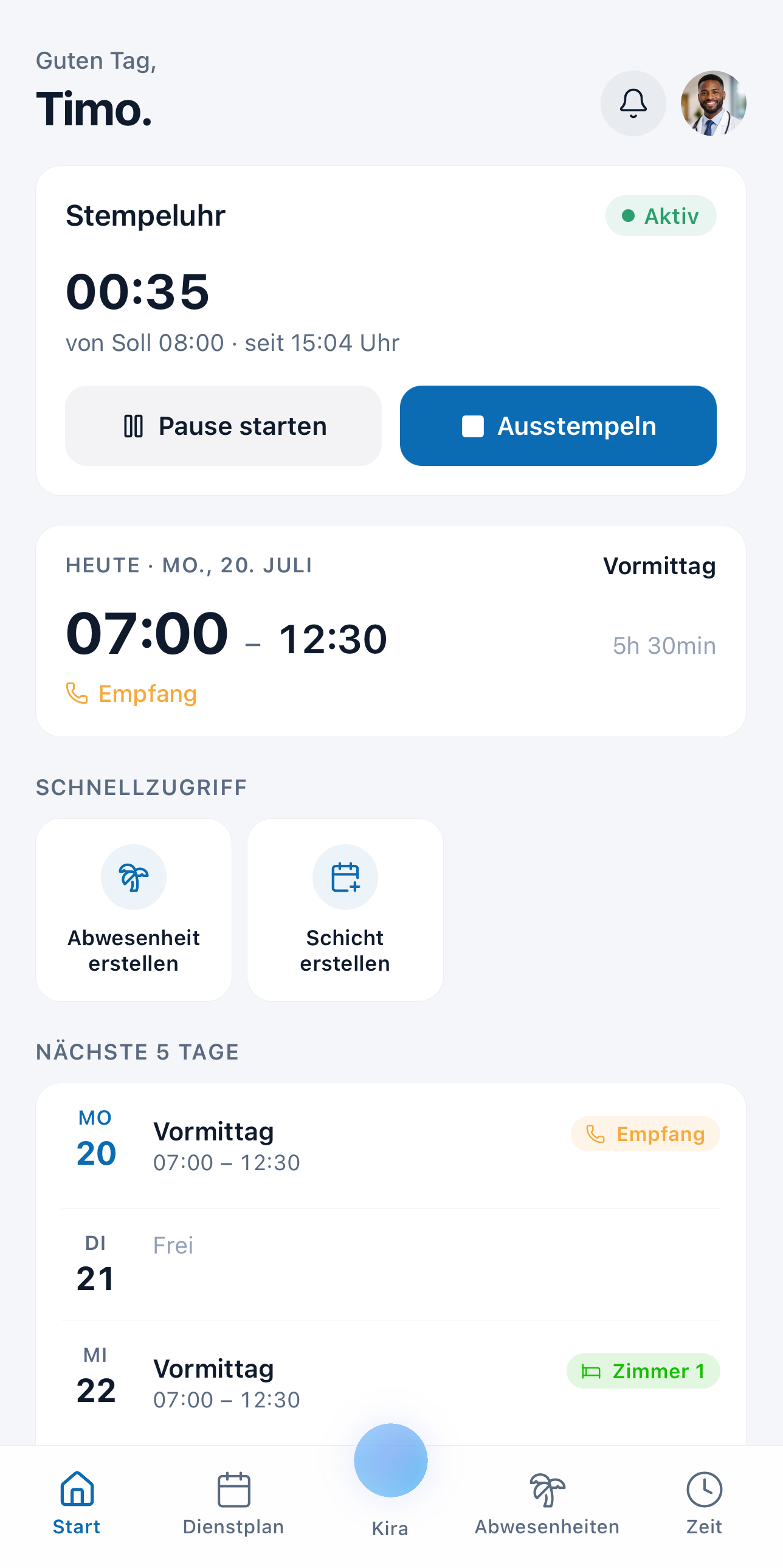 Clocking in and out right in the medishift mobile app — target, actual and break at a glance. Time tracking is included from Premium.
Approving instead of chasing. Tracked hours aren't set in stone the moment they're recorded: rules decide whether they're approved automatically or have to be released manually by someone.
Correcting without it slipping through the cracks. Later changes to tracked time have their own request-and-decision path in the system. So Tuesday's forgotten clock-out gets requested and decided, rather than lost in passing at the door. Admins see their team's hours anyway and can correct entries directly.
And then it does the arithmetic. Tracked time feeds the overtime account and the hours report with a target-versus-actual comparison per employee. That's the real difference from a spreadsheet: not the recording, but the fact that the schedule, absences, tracked hours and balance all sit in the same system.
The verdict: when free time tracking software is enough
If there are three of you, use a spreadsheet. Genuinely. Download our free templates, add your team, and don't spend money on a problem you don't have. At that size, free time tracking software isn't a compromise — it's the right call. Anyone selling a three-person practice a time tracking system is selling it administration.
If there are twelve of you and you maintain the schedule and the timesheet separately, do the honest sum on how many hours a month go into reconciling, chasing and correcting. Multiply that by what an hour of your time is worth. That's usually the moment software starts to pay for itself — not because it records better, but because it ends the double entry.
And since the question would otherwise hang in the air: medishift's own time tracking — clock in and out with a timer or enter hours manually, breaks included, tracked time feeding the overtime account — is a Premium feature, so it isn't free. What is free, permanently, is the schedule, vacation planning and the mobile app for up to ten employees. You add tracking when you need it.
Which brings us back to your sum. If you came out under an hour a month, take the template and don't let anyone sell you anything. If you came out at four, that is exactly what Premium is for.