
Time Tracking in Germany: The Complete Guide for 2026
The 2022 Federal Labour Court ruling made recording working hours a duty. This guide covers the legal position, paper versus app, rollout, and the common pitfalls.

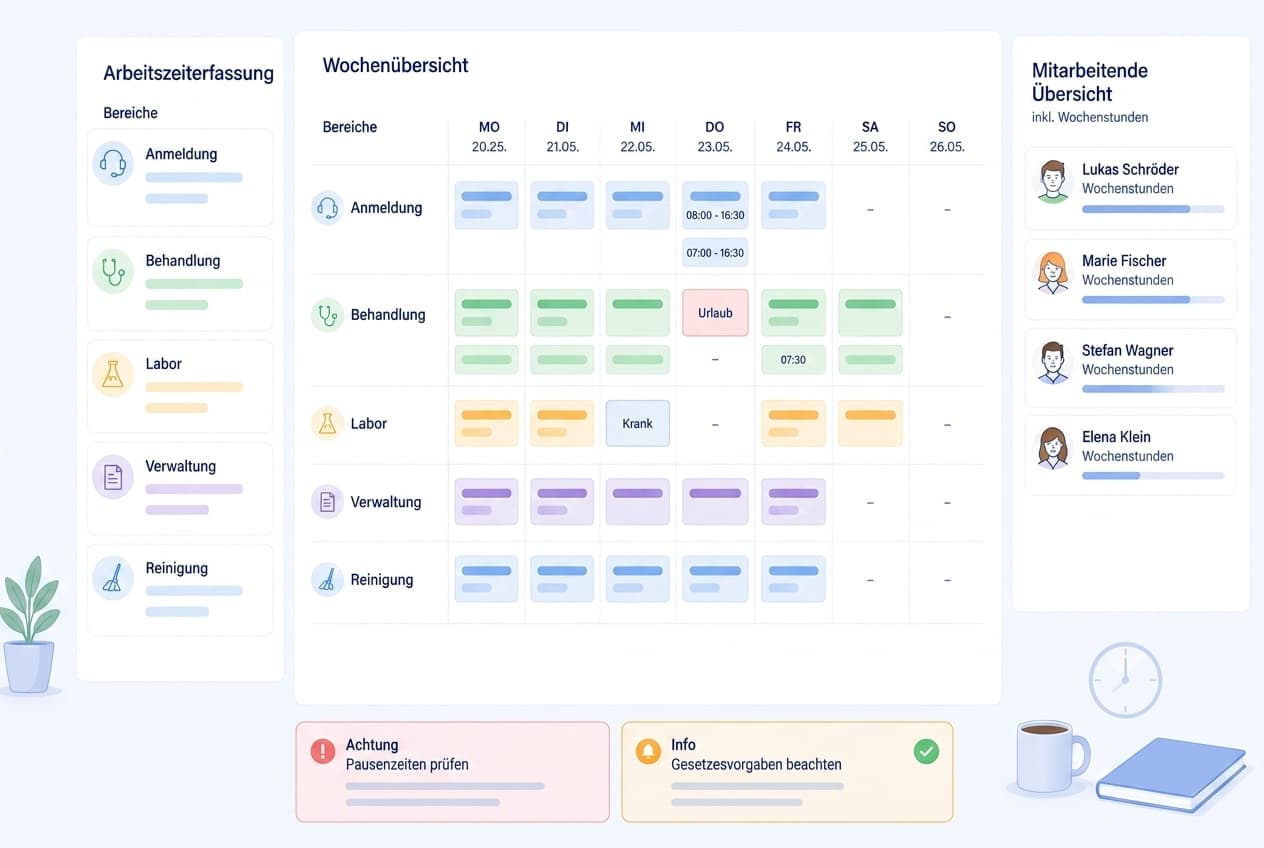
Anyone running time tracking in a medical practice knows both ends of the problem: the timesheet that gets filled in from memory at the end of the month, and the Working Hours Act that demands reliable documentation. In between sits the reality of the job, where the last patient takes longer, the notes still need writing, and nobody thinks to record any of it precisely. This guide covers what the law actually requires, how paper and spreadsheets differ from a digital system, how to run the switch without the team pushing back, and where the rollout most often goes wrong.
The focus is on small healthcare employers, because the conditions there are unusually tight: few people, almost no slack when someone is off sick, and a day shaped by the patients in the waiting room rather than the clock on the wall. The principles apply to any employer that has to document working hours.
What time tracking actually means
Time tracking is the systematic documentation of the start, end, and duration of daily working hours, including breaks. It answers a deceptively simple question: who worked, and for how long? That answer feeds payroll, overtime balances, leave entitlements, and — in a dispute — the evidence of what was actually done.
The distinction that matters most is between scheduling and recording. A roster says who is supposed to work. Time tracking says who did work. Those two figures drift apart constantly in daily operations, and that gap is exactly where the overtime hides that causes arguments later. An employer who only ever plans and never records knows its target numbers precisely and its actual numbers not at all.
The second term people use interchangeably is the timesheet. That describes the medium rather than the method: a list on which hours are noted, traditionally on paper, today usually in a spreadsheet or an app. The recording obligation attaches to the result, not to the format you choose.
In practice it helps to separate three layers. Recording is the moment an entry is captured. Approval is the decision that the entry counts. Analysis turns entries into balances, reports, and a payroll basis. Most rollouts fail not at the first layer but because the second was never defined, so at month end nobody can say which version is binding.
A functioning time tracking setup serves several purposes at once, and it pays to keep them apart. It is first a record of evidence for authorities and for employment disputes. It is second a basis for payroll, for shift premiums and overtime. It is third a management instrument that shows where staffing is structurally too thin. And it is fourth a protective instrument for employees, because it makes workload visible that otherwise stays vague.
These four purposes sometimes pull against each other. A system built primarily for watertight evidence can feel like surveillance to the team. One built for maximum convenience produces data that will not hold up when it matters. The skill is in naming openly which purpose comes first for you, rather than pretending there is no trade-off.
Timesheet, Excel, or app: what changes day to day
Most small employers start with paper or an Excel template. That is not a mistake but a sensible beginning: the cost is nil, everyone grasps it immediately, and for three people on fixed hours it holds up for years. The break does not come from headcount alone but from three other developments.
First, concurrency. As soon as several people maintain the same file, competing versions appear. Second, traceability. In a spreadsheet an entry can be overwritten with no record that it happened or why. Third, analysis. Simple addition is fine by hand; once break rules, premiums, and running balances stack up, maintaining the formulas becomes its own source of error.
An honest comparison therefore looks less like "paper is bad" than many vendors suggest. It looks like this: paper and spreadsheets are cheap and flexible but demand discipline and produce gaps as soon as the day gets hectic. A system supplies that discipline for you, but in exchange it forces decisions about rules that nobody previously had to make.
The table below sets out where the two approaches actually differ.
Anyone making the switch should be realistic about the benefit. Digital time tracking makes documentation more complete and analysis faster. It does not replace a clear agreement about what counts as working time: whether changing into uniform is included, how the trip to the first appointment is treated, when a break genuinely is a break. Those questions remain whatever tool you use.
One common error in the comparison is to reason from the licence fee. An Excel template costs nothing and therefore looks unbeatable. But the real cost sits in monthly upkeep rather than acquisition: chasing entries, checking totals, resolving queries, applying corrections. If that work rests on one person and eats several hours a month, the calculation shifts considerably. Compare the licence against the working hours currently going into upkeep, not against zero.
So when is the right moment to switch? A useful test is to ask three questions about the last quarter. Did you have to chase missing entries more than once a month? Did anyone dispute a figure you could not reconstruct? Did you find yourself rebuilding formulas rather than reading results? A single yes is not a reason to change anything. Two or three, repeated over a quarter, mean the spreadsheet has stopped saving you work and started costing it.
Time tracking and trust-based working hours
One question comes up in almost every rollout conversation: is trust-based working time (Vertrauensarbeitszeit) still possible after the Federal Labour Court ruling? The short answer is yes, though not in every form.
Vertrauensarbeitszeit means the placement of hours is left largely to employees and the employer forgoes attendance control. That model remains lawful. What no longer holds is the variant in which nothing at all is documented. The obligation attaches to documentation, not to the question of who decides when the work happens.
In practice: even under Vertrauensarbeitszeit, start, end, and duration are captured, but the recording may be delegated to employees. Responsibility for a functioning system existing and being used stays with the employer. For many teams that is the workable path — autonomy over the placement of hours survives, and documentation becomes routine rather than control.
In small practices Vertrauensarbeitszeit matters less than in office settings anyway, because opening hours set the frame. The more relevant question there is how to handle work that falls outside the roster — the last-minute cover, the call on a day off, the Saturday training. Those hours need documenting too, and they are precisely what a purely schedule-derived view misses.
The legal position after the Federal Labour Court ruling
The law here has shifted noticeably in recent years, and many employers still work from an outdated picture of it.
The starting point is a 2019 decision of the European Court of Justice in the CCOO case (C-55/18, judgment of 14 May 2019) [7]. It requires member states to oblige employers to set up an objective, reliable, and accessible system for measuring daily working time. That decision was addressed to legislators rather than directly to individual employers, and in Germany it had little immediate practical effect.
That changed with the decision of the Federal Labour Court of 13 September 2022 (1 ABR 22/21) [4]. From the general employer duty under Section 3(2) of the Occupational Safety and Health Act, the court derived that employers are already required under existing law to introduce and use a system for recording working time [2]. The obligation has applied since then regardless of company size and regardless of whether a works council exists.
Alongside this sits the older, narrower recording duty in the Working Hours Act. Under Section 16(2), hours worked beyond the standard daily working time must be recorded and kept for at least two years [1]. The same act also sets the frame within which any schedule has to operate: eight hours per working day as the rule, an extension to ten hours only against compensating time off, rest breaks of at least 30 minutes above six hours and 45 minutes above nine, and an uninterrupted rest period of eleven hours after work ends [1].
For part of the workforce the Minimum Wage Act applies on top. Section 17 requires the start, end, and duration of daily working time to be recorded within a fixed deadline for marginally employed staff and for specified sectors, with the records kept for two years [3]. In small practices with minijob staff on reception, this duty is more relevant than many realise.
On format the case law imposes no narrow requirements, so recording on paper is not automatically inadmissible. A statutory amendment to the Working Hours Act, intended among other things to govern electronic recording, has been under political discussion for some time. For the current state of that legislative process, rely on the publications of the responsible ministry [6] and plan so that a later tightening does not catch you out. Guidance on designing working time and recovery periods comes from the Federal Institute for Occupational Safety and Health [5].
Rolling it out in five steps
Rollouts rarely fail on technology. They fail because rules stay unspoken and everyone interprets them differently. The steps below force those rules onto the table before go-live.
One note upfront: resistance from the team is normal and rarely laziness. New time tracking is often read as distrust. Being open that this is about evidence and fair recognition of hours worked, rather than minute-by-minute monitoring, takes much of the heat out of it.
A word on sequencing. It is tempting to start with tool selection, because that is the most tangible step. That is exactly what leads to rules being bent to fit the software instead of the other way round. Decide first what should apply in your organisation, then look for a system that can represent those rules. Selection does not get harder — it gets much faster, because you suddenly have concrete questions for vendors.
Budget realistically for time, too. Technical setup is usually an afternoon's work. The organisational rollout — agreeing rules, briefing the team, the pilot month, adjusting — takes closer to six to eight weeks. Underestimate the second part and you will see people revert to the old sheet within a fortnight, because under pressure everyone falls back on what they know.
One question that comes up late and is better settled early: what happens to the historical records? The retention periods do not reset because you changed tools. The pragmatic approach is to leave the old records where they are, archived in a readable form, and to draw a hard line at the go-live date rather than attempting to migrate months of spreadsheet history into a new system. Migration sounds tidy and almost always imports old errors along with the data.
It also helps to name who owns the process afterwards. A rollout has an obvious owner; routine operation often has none, and that is when entries quietly stop being approved. Assign the monthly review to a named person, not to a role in the abstract, and give them ten minutes in an existing meeting rather than a new one.
What is different in a medical practice
A practice differs from an office in one decisive respect: the day ends when care is finished, not when the clock says so. That has consequences for recording.
The first is edge minutes. Between the last appointment and actually leaving sit documentation, tidying, equipment care, and the conversation that has to happen quickly. On a handwritten sheet those minutes disappear reliably, because individually they feel too small to note. Over a month they add up to hours that nobody documented and everybody worked.
The second is interruption. In a practice a break is rarely taken in one piece. If the system deducts a flat break regardless, the documentation drifts systematically away from reality. A better rule distinguishes between the scheduled break and the one actually taken, and makes both visible.
The third concerns the relationship to scheduling. Many practices still derive actual hours from the published roster: what was planned counts as worked. That is convenient and defensible in a calm operation, but it hides exactly the deviations that time tracking exists to capture. Run both and you see the gap between target and actual as an actual figure for the first time, and can draw staffing conclusions from it.
That gap is worth reading carefully rather than treating as noise. If one person consistently runs over on the same weekday, the roster is probably wrong for that day rather than the person being slow. If overruns cluster at the end of the month, the cause may be billing or reporting work that was never planned into anyone's hours. And if the gap is negative — planned hours that were not worked — that is a signal too, usually about appointments that finish earlier than the template assumes. None of these conclusions are available to an employer that only plans.
A final practice-specific point concerns holiday and sick cover. When someone steps in at short notice, their own hours shift as well, and in a paper process that adjustment is the first thing to go undocumented. Recording captures both sides of a swap, which matters because cover is precisely where overtime accumulates unnoticed and where a sense of unfairness builds if the extra effort never appears anywhere.
Mobile recording: home care and fieldwork
As soon as work happens away from a fixed location, the requirements tighten. In home care the location changes several times a day, travel sits in between, and there is no computer anywhere nearby.
What matters here is that recording is possible where the work happens. Any solution that requires reconstructing the day in the evening produces estimates rather than records. An app on the work phone that allows clocking in and out in seconds is therefore less a convenience than a precondition for the documentation being accurate at all.
Second, corrections need clean handling. Forgetting to clock out on the road is the rule, not the exception. The point is not to prevent corrections but to make them traceable: who changed what, when, and on what grounds. A system that allows silent edits is ultimately no more dependable than a paper sheet and correction fluid.
Third, there is the question of travel time. Whether and to what extent journey time counts as working time depends on the specific arrangement and should be settled in the employment or collective agreement. For recording purposes the implication is simple: the rule has to exist beforehand, so that people do not each interpret it for themselves.
Common pitfalls
Going live without an approval rule. Everyone records, nobody confirms. At month end you have numbers of unclear standing. Settle before launch whether entries count automatically or need sign-off.
Deducting breaks as a flat rate. The easiest route is also the least accurate. If the deducted break never happened, you systematically document too little working time — at the employees' expense.
Running the system alongside the old sheet. A transition period is sensible; a permanent parallel is not. Two sources mean two truths. Set a date from the start after which only the new records count.
Framing the change as monitoring. Introduce time tracking as a surveillance tool and you earn resistance and poor data quality. Introduce it as evidence of work performed and you get cooperation, because staff gain something from it too.
Nobody looks at the output. Recording without analysing creates effort without benefit. If nobody has looked at the balances after three months, the rollout was wasted, and the team notices faster than management expects.
Forgetting retention. Records that are deleted after a year or lost when you change tools do not meet the retention periods. Clarify early what an export looks like and how you get your data out if you ever switch vendors.
Data protection
Working time data is personal data, and unusually revealing at that: it shows attendance, absence, break behaviour, and workload for named individuals over long periods. The rollout deserves careful handling accordingly.
Three points are worth settling in advance. First, the legal basis: processing normally rests on being necessary for the performance of the employment relationship and for compliance with legal obligations. Consent is a weak foundation in an employment context, since it would have to be freely given and can be withdrawn at any time.
Second, data minimisation. Collect what evidence and payroll require — no more. Location data is the classic borderline case: mobile time tracking does not inherently need continuous positioning, and where it is collected the purpose must be soundly justified and the scope kept narrow.
Third, co-determination. Where a works council exists, introducing technical systems capable of monitoring conduct or performance is subject to its co-determination rights. That is a procedure rather than an obstacle: involve the works council early and you avoid conflict after go-live. Without a works council, a written policy covering purpose, scope, and retention period, accessible to the team, is still worth having.
Choosing a system
The German market ranges from simple clock-in apps through HR suites to modules inside large payroll systems. For small healthcare employers, five criteria carry most of the weight.
Both recording modes. A system that only offers a timer breaks down the day someone leaves their phone in the car. One that only offers manual entry loses accuracy. Supporting both is the more robust option in practice.
Traceable corrections. A dedicated route for retrospective changes, where it stays visible who changed what, is what separates a dependable system from a digital spreadsheet.
A link to scheduling. If roster and records live in separate tools, you calculate the gap between target and actual by hand — and that gap is the genuinely interesting number.
Mobile use. For everyone not sitting at a desk, the app decides whether documentation ends up complete or full of holes.
Data protection and hosting. Clarify before rollout where the data is processed and how long it is retained.
Medishift brings time tracking together with scheduling: staff clock in and out with a timer or enter their hours manually, breaks are captured and deducted, and retrospective corrections run through a dedicated request and approval route. Recorded hours feed the overtime balance and the hours report that sets target against actual. The feature is available in the web app and the mobile app and is included from the Premium tier. Whether that is the right fit depends on how tightly you want scheduling and recording connected; if all you need is clocking in and out, leaner tools exist.
Summary
Since the Federal Labour Court decision of 2022, recording working hours is no longer a question of whether but of how. It applies to small practices and care services too, regardless of size.
Paper and spreadsheets are a legitimate starting point but hit limits in three places: concurrent use, traceable corrections, and analysis. A digital system solves those three problems, and in return demands clear rules on breaks, approvals, and corrections.
The biggest lever is not the tool. It is answering four questions before rollout: who records when, how breaks are handled, who approves, and how corrections work. Settle those and an obligation turns into an instrument that makes real work visible — and with it a basis for fair staffing and honest conversations about overtime.
Comparison
| Aspect | Paper and Excel | Digital time tracking |
|---|---|---|
| Daily recording | Entered in the evening from memory | Start and stop as the work happens |
| Breaks | Deducted by hand | Recorded and deducted automatically |
| Corrections | Overwritten without a trace | Dedicated request and approval route |
| Overtime | Recalculated by hand each month | Feeds the overtime balance continuously |
| Access on the road | Only at the computer holding the file | Web app and mobile app |
How to do it
- 1
Establish the legal position and your starting point
Start by checking what actually gets documented today and where the gaps are. Work out which groups of employees fall under the additional recording duties of the Minimum Wage Act. This stocktake determines how big the step in front of you really is.
- 2
Decide how hours get recorded
Choose between clocking in as the work happens and entering hours afterwards. Both have merit: a timer is more accurate, manual entry is more robust when nobody can reach a phone mid-shift. Many teams do well allowing both and naming clearly which one is the default.
- 3
Define break and approval rules
Set out how breaks are recorded and who approves submitted hours. Decide whether entries count automatically or need confirmation by a designated person. Without this rule you will end up arguing later about which version of the month is the binding one.
- 4
Brief the team and run a pilot month
Explain not just the how but the why. A single pilot month reveals where the rules rub against reality, before the records become the binding basis for overtime and payroll.
- 5
Review and adjust
After the first month, look at where entries are missing, where corrections cluster, and whether the balances look plausible. Usually the problem turns out to be an unclear rule rather than the system. Adjusting is normal, not a setback.
For your practice
For medical practices
In a practice the day rarely ends on time: the last patient takes longer, and documentation and tidying up follow. Those are exactly the minutes that vanish from a handwritten sheet. Recording that takes seconds at reception or on a phone captures the real end of the day rather than the scheduled one. For the practice lead that produces a dependable picture of how much work is actually being done, and with it a factual basis for conversations about hours, staffing, and workload.
For mobile care services
In home care, the working day rarely starts where the computer sits. Between rounds, travel, and changing locations there is no opportunity for paper, and nobody reconstructs a day accurately from memory in the evening. What matters is mobile recording that works on the road and allows corrections in a traceable way. That turns travel and visits into documented hours instead of an estimate at the end of the month.
For practice managers
You are accountable for records being complete without burying the team in bureaucracy. Your leverage sits less in the tool than in clear rules: who records when, how breaks are handled, who approves, and how corrections work. Answer those four questions and almost any system will hold. Leave them open and even the best software collapses under contradictory entries and arguments about which version counts.
Frequently asked questions
Related articles
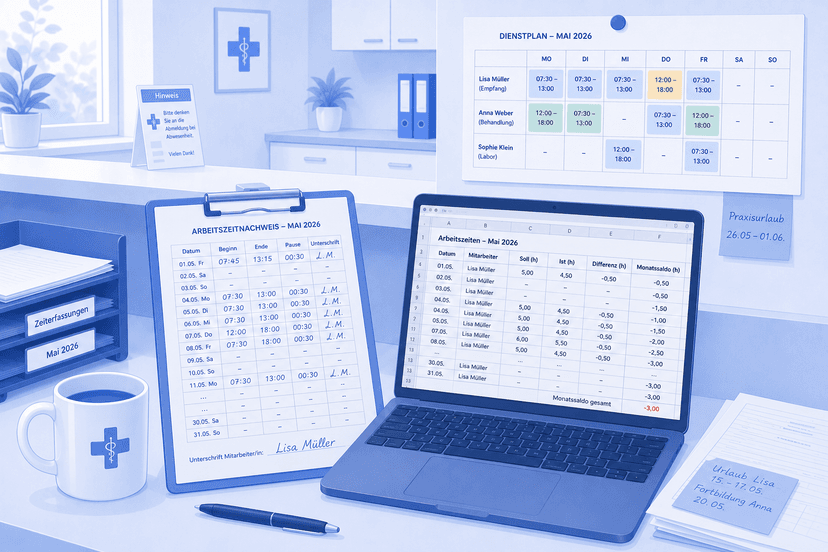
Free Time Tracking Software: What Zero Euros Actually Buys You
Free time tracking software for your practice: which no-cost routes genuinely work, where spreadsheets and free tiers run out of road, and the point at which paying starts to make sense. An honest look for medical practices and care services.
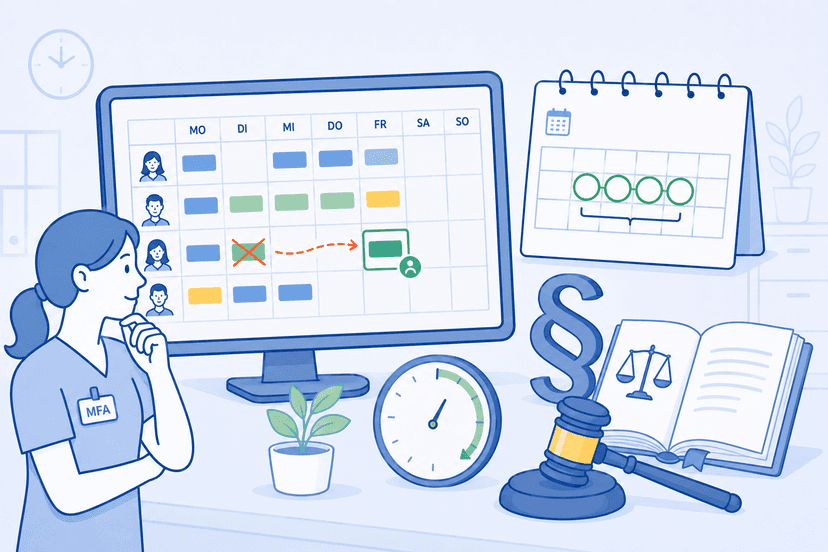
Shift Schedule Change Law: Notice Periods, Employee Rights and Special Cases
Shift schedule change law explained: What notice period applies? Can your boss change the shift schedule on short notice? Practical guide to Section 106 GewO, German Federal Labour Court rulings and special cases — specifically for medical practices and MFA teams.

Employee Scheduling Rights: Guide 2026
Learn everything about your scheduling rights as an employee: When must a schedule be ready, labor law regulations, and notification deadlines 2026.
Sources
This content references the following public sources:
- [1]Working Hours Act (ArbZG) — Federal Ministry of Justice (2024-01-01)
Maximum working hours, rest breaks and rest periods, plus the recording and retention duty under Section 16(2).
- [2]Occupational Safety and Health Act (ArbSchG) — Federal Ministry of Justice (2024-01-01)
The general employer duties under Section 3 on which the Federal Labour Court based the obligation to record working time.
- [3]Minimum Wage Act (MiLoG) — Federal Ministry of Justice (2024-01-01)
Additional recording duties under Section 17 for marginally employed staff and for specified sectors.
- [4]Federal Labour Court, decision of 13 September 2022, 1 ABR 22/21 — Federal Labour Court (2022-09-13)
The ruling on the employer duty to introduce a system for recording working time. Full text available through the court decision search.
- [5]Working time — Federal Institute for Occupational Safety and Health (2025-01-01)
Guidance from BAuA on the design of working time, workload, and recovery.
- [6]Working time protection — Federal Ministry of Labour and Social Affairs (2024-06-01)
Overview from the ministry on working time protection, maximum hours, and rest periods.
- [7]ECJ, Case C-55/18 (CCOO), judgment of 14 May 2019 — Court of Justice of the European Union (2019-05-14)
Member states must require employers to set up an objective, reliable, and accessible system for measuring daily working time.