
AI Scheduling: What Artificial Intelligence Can Really Do Today
AI scheduling promises the duty roster at the push of a button. Here is what AI actually delivers for shift and duty planning today, what the law requires, and how to choose well.

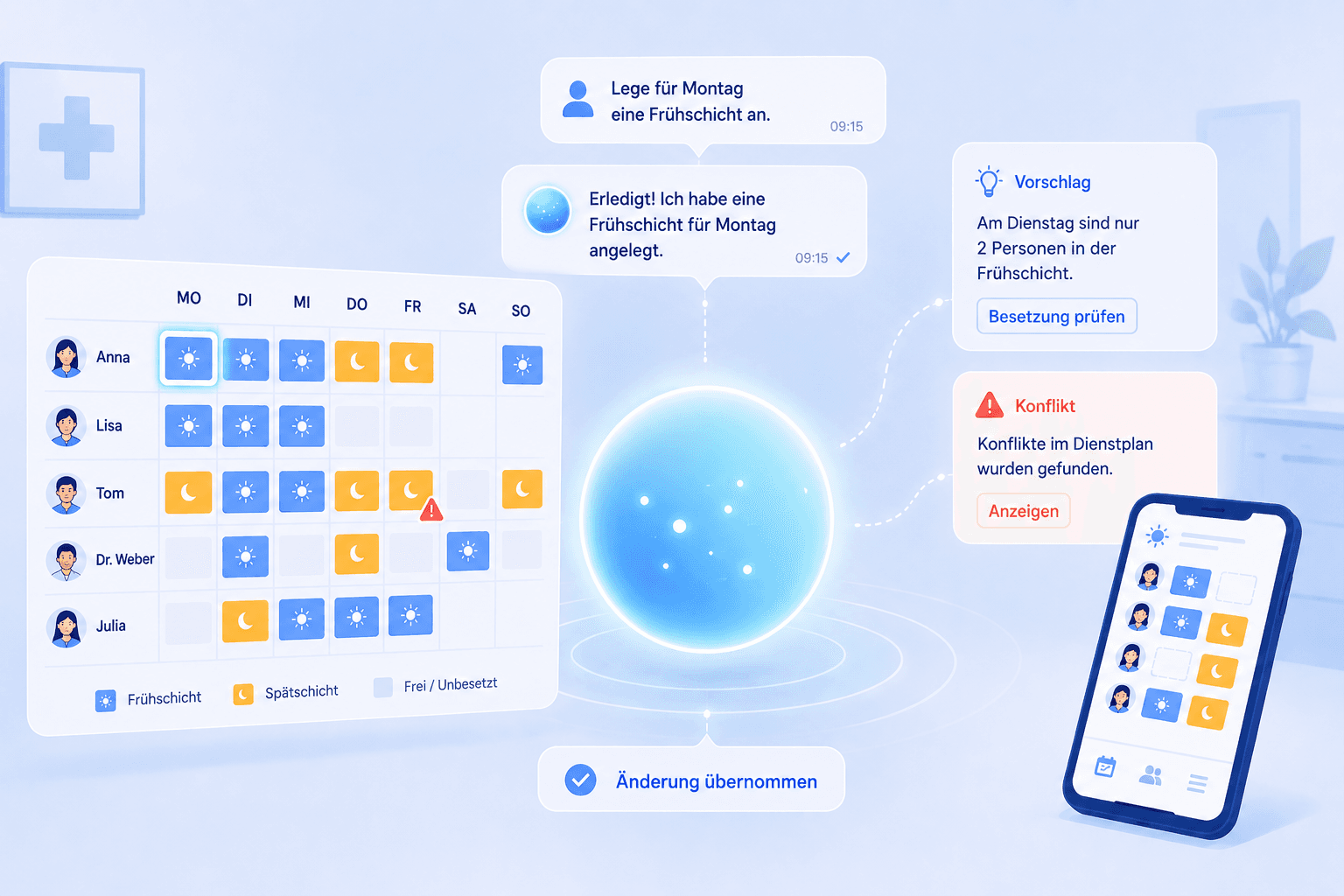
Anyone who wants to build a duty roster with AI runs into a wide gap between marketing promise and reality: the roster at the push of a button sounds tempting, yet what artificial intelligence actually delivers for personnel deployment today is more sober, and at the same time more practical, than the buzzwords suggest. This guide sorts out what AI scheduling really means, which functions already work in everyday life, what the law requires, and how to spot a serious solution.
We focus on the German healthcare sector because the requirements here are especially tight: small teams, almost no buffer when someone is out, strict rules from the Working Hours Act, and a high demand for reliability. Much of this carries over to any business that runs shifts. Instead of treating AI as a magic word, we look at it concretely: which task does it take on, who keeps control, and where is the line between real benefit and empty promise.
What is AI scheduling?
AI scheduling describes the use of artificial intelligence to create, maintain, and check duty and shift rosters. The term is deliberately broad, and that is exactly what causes misunderstandings. In practice it hides three very different approaches that you should keep apart before you judge any solution.
The first and today most common approach is assistance: an AI assistant understands natural language and performs actions in the plan on your instruction. You say what should happen, and the AI creates the shift, applies a template, or logs an absence. The second approach is rule-based automation, which needs no machine learning at all: fixed rules check every plan for double-booking, rest periods, or maximum hours and warn on violations. The third approach is fully automatic creation, where a system proposes a complete, balanced plan on its own. This third approach is the most technically demanding and, for the broad market, still in development.
The honest distinction matters: when people say "AI roster" today, they almost always mean assistance or rule automation, not the fully automatic optimisation of the entire plan. The much-invoked self-writing duty roster remains, for now, a vision. That is not bad news, because assistive AI in particular brings the greatest immediate everyday benefit without taking control out of your hands.
A simple question helps with classification: who makes the decision? As long as a human approves and the AI only executes or warns, you are on safe ground. The moment a system is meant to make decisions about people without oversight, it becomes both legally and practically delicate.
AI scheduling versus manual planning
The most honest comparison is not "AI versus human" but "AI assistance versus pure handwork in Excel." This is where the concrete added value shows, along with its limits. The table below summarises where AI-assisted scheduling replaces manual upkeep and where the two are still on a par.
The biggest difference lies in repetitive clicking. Creating a shift, applying a template to next week, logging a short-notice absence: in Excel these are many small steps, with an AI assistant a single sentence. Over a month this adds up to noticeably less effort, especially in teams where planning happens on the side.
The logic of detecting conflicts shifts as well. Excel relies on the planner's eye; a modern system checks every entry automatically against the stored rules and flags problems in colour. The AI assistant can additionally react to a detected conflict, for instance resolving a double-booking when you ask it to.
Where the two worlds do not differ today is final responsibility. Even the best AI scheduling does not decide for you who is staffed in a tight week or whose request takes priority. That judgement stays human, and the fully automatic creation of an entire, ready-balanced plan is still not a market standard. Anyone promising that should show concretely what the system really decides on its own and what ends up being patched by hand after all.
What AI can really do today, and what it cannot
A gap yawns between the marketing and the engine room of AI scheduling, and you should know it before you invest money or time. Let us start with what works reliably.
Voice-driven actions are reality today. An AI assistant understands requests like "set up the standard template for next week" or "log an absence for Ms Berger on Friday" and carries them out in the plan. This saves clicks and lowers the barrier to entry, because you do not have to work through menus. Equally solid is automatic conflict detection: whether a person is double-booked, a rest period is undercut, or an absence clashes, the software checks this reliably and makes it visible.
It gets harder with everything that demands real judgement. An AI can suggest, but it does not know your team's unwritten rules: that a colleague is just returning from parental leave and should ease back in, that two people are better not placed in the same late shift, that the experienced assistant must be present on a complex surgery day. Such subtleties remain human knowledge.
And then there is the most honest limit: the fully automatic, mathematically optimised creation of a complete duty roster that perfectly balances all wishes, qualifications, and legal requirements at once is an open research field and not yet mature for everyday practice. Vendors making big promises here usually mean either rule automation or an assistant that takes over individual steps. When in doubt, ask what exactly the AI decides on its own. The answer separates serious solutions from pretty demos.
How to introduce AI step by step
Bringing AI into scheduling is less an IT project than a question of the right order. Whoever starts with full automation loses the team's trust at the first mistake. Whoever starts small builds a reliable routine step by step.
What matters is that technology does not come first, but the clarification of purpose and limits. Define which tasks the AI may take over and at which point a human always decides. Then comes the data foundation: it need not be complete from day one, but the more fully the employee data, working hours, and rules are stored, the better the AI's suggestions become. The five steps below summarise the path that has proven itself in practice.
In practice it has worked well to use the AI at first only for tightly scoped routines and to check its results consistently. This builds a feel for where it works reliably and where you need to sharpen things. Only once these small tasks are solid do you hand over larger routines. This step-by-step build-up takes a little patience at first but pays off, because the team trusts the AI instead of switching it off after the first slip.
It is also important to document the rollout. Record which requests work well and which phrasings the AI reliably understands. Over time this becomes a kind of operating manual that stand-ins can quickly pick up without starting from scratch.
AI assistants in practice: the example of a chat assistant
AI scheduling becomes most tangible where an assistant sits directly inside the planning software and acts on instruction. Instead of talking about artificial intelligence in the abstract, it is worth looking at one concrete type of feature as modern solutions offer it today.
Such an assistant is at its core a chat: you describe in natural language what should happen, and the AI performs the action in the plan. Typical requests are creating a shift, applying an existing template to a period, adding a new employee, logging an absence, or resolving a detected conflict. The appeal is that you state the goal instead of knowing the way through the menus. Anyone new to the system becomes productive immediately.
At Medishift this role is filled by the assistant Kira. Kira is a chat that planners give tasks to: create a shift, apply a template, add an employee or an absence, resolve a conflict. The action lands directly in the duty roster, while review and publishing stay with leadership. An honest note for context: Kira carries out requests, it does not write the plan on its own from scratch and does not perform a fully automatic optimisation of the entire month. Exactly this honest division of labour, AI as the executing assistant and the human as the decision-maker, is what assistive systems do best today. The direction is clear, though: Kira is meant to take on more steps on its own over time — until then, the division of labour deliberately keeps you in control.
The practical benefit shows in two situations. First, with recurring routines, such as setting up the standard week, which shrinks from many clicks to a single sentence. Second, when new people join the planning work and can start immediately without training, simply by describing what they need. Both noticeably reduce the everyday load without anyone surrendering control over staffing.
Data protection and law in AI scheduling
The moment an AI works with personnel data, you enter a clearly regulated space. Three fields deserve your attention: data protection, co-determination, and working-time law.
On data protection, the General Data Protection Regulation applies in full. Duty rosters contain personal data, and an AI processes it when it assigns shifts or logs absences. What matters is that this processing rests on a legal basis, that the data stays within the EU, and that it does not flow unasked into external, freely accessible models. The German data protection authority gives concrete guidance for the employment context [3], and the Federal Office for Information Security describes how AI systems are operated securely [4]. Ask the vendor explicitly where the data resides and whether it is used to train third-party models.
On co-determination, the Works Constitution Act comes into play in companies with a works council. Introducing technical systems capable of monitoring employee behaviour or performance is subject to co-determination [2]. AI-assisted scheduling systems can fall under this, especially when they evaluate data on working hours and availability. Involve the works council early, clarify purpose and data use transparently, and record the outcome in a works agreement before the system goes into real operation.
Finally, working-time law remains fully in force, whether a human or an AI creates the plan. The maximum daily working time, the uninterrupted rest period of at least eleven hours, and the rules on breaks must be observed [1]. Good AI scheduling supports this, because the built-in conflict detection warns as soon as an assignment violates one of these rules. On the European level the AI Act additionally frames the picture, prescribing a risk-based approach to the use of artificial intelligence [5]. For most planning assistants this mainly means transparency about what the AI does.
Cost: is AI scheduling available for free?
The question of the free AI roster is at the top of many lists, and it is justified. Small practices and teams in particular want to try the technology before they commit a budget. The honest answer is: yes, a free entry point is possible, but you should look closely at what it includes.
Many scheduling tools offer a permanently free tier for small teams or a full trial with no payment details. In some of these offers assistant features are already included, in others they belong to a higher tier. So check not only whether "AI" is on the packaging, but whether the free version enables real, complete scheduling, with employees, rules, and conflict detection. A chat window with no connection to your clean data model looks modern but helps little in everyday life.
A second cost aspect is often overlooked: the effort of rollout and upkeep. An AI built on poor data produces poor suggestions, and the rework costs the very time you wanted to save. So calculate the free tier realistically: it pays off when the tool is easy to maintain anyway and the AI is applied where genuinely recurring work piles up. Test the assistant feature during the free phase on a real task from your week, and you will quickly know whether it lives up to the promise.
Typical use cases in practice
Abstract promises help little, so it is worth looking at concrete situations where AI scheduling noticeably eases the daily load. Four cases keep recurring in practices and care services.
The first is the recurring standard week. Many teams work from a fixed base structure that repeats week after week. Instead of copying it by hand every time, you instruct the assistant to apply it to the desired period and only adjust the exceptions. What used to be a dozen clicks becomes a single sentence.
The second case is the short-notice gap. When someone drops out unexpectedly, you have to react fast. Here the combination of conflict detection and assistance helps: the system shows you who is available and breaks no rule, and the assistant enters the change once you have decided. The AI removes the searching; you make the call.
The third case concerns onboarding new planners. Anyone freshly taking over responsibility for the roster does not yet know the menus. An assistant you simply describe your needs to shortens the ramp-up from weeks to hours. It also lowers the risk that planning hinges on a single practised person.
The fourth case is ongoing upkeep across the month. Small corrections, a swapped shift, a late-added absence all add up. Exactly this small work, which causes the most frustration in Excel, can be handled by instruction. The plan stays current without every change turning into a menu expedition. In all four cases the same pattern holds: the AI speeds up execution, while you keep control over the result.
Common pitfalls and how to avoid them
Even good AI scheduling can fail when expectations or preparation are off. Three pitfalls keep recurring.
Believing in full automation. Anyone expecting the AI to deliver the finished monthly plan at the push of a button will be disappointed and abandon the tool in frustration. Solution: understand AI today as an assistant that removes clicking work and warns, not as a substitute for the planning decision. With this expectation you experience benefit instead of disappointment.
A poor data foundation. An AI built on incomplete employee data or missing rules proposes nonsense. Solution: first set up work areas, working hours, and planning rules cleanly, then let the AI loose on them. The half hour of preparation decides the quality of every later suggestion.
Considering data protection too late. Whoever feeds personnel data into an AI tool without clarifying the storage location and data use risks a breach of the GDPR [3]. Solution: before the first real dataset, clarify where the data resides, whether a data processing agreement exists, and whether a works agreement is needed where there is a works council [2].
Vendors and selection criteria in the German market
The market for scheduling software with AI functions is growing fast, and the promises are getting louder. For practices, care services, and clinics it is worth a sober look at what is really in the product, rather than the buzzword on the home page.
Medishift is an example of the assistive approach. The software combines classic, rule-based scheduling with the AI assistant Kira, which on instruction creates shifts, applies templates, adds employees and absences, and reacts to detected conflicts. The conflict detection checks every entry against rules such as double-booking, rest periods, and maximum hours. Deliberately not advertised are a fully automatic creation of the entire plan or a mathematical optimisation across the whole month, because those functions are still in development. Kira's development is aimed at greater autonomy over time, so the assistant is intended to take on larger planning steps on its own in the future; for today, though, the human deliberately remains the decision-maker who reviews and approves every plan. Hosting is in Germany and GDPR compliance is documented. Other vendors set other priorities, from pure phone and appointment assistants to large workforce suites with their own optimisation logic.
Four hard criteria help with the assessment. First, a clean foundation: an AI is only useful when a reliable data model with rules and conflict detection sits beneath it. Second, a transparent role for the AI: ask the vendor to show you exactly what the AI decides itself and where the human confirms. Third, data protection: hosting in Germany or the EU, a data processing agreement, and clear statements on whether data flows into third-party models [3]. Fourth, a fair entry point: a free tier or a genuine trial in which you test the AI on a real task.
One criterion that small organisations in particular underestimate is simplicity. An AI that only works inside an overloaded professional tool helps a practice without its own IT very little. Make sure the tool delivers a reliable roster even without AI and that the assistance remains an optional accelerator. That way you do not become dependent on a function whose maturity is only just taking shape across the market.
Summary
AI scheduling today is above all one thing: an assistive helper that removes repetitive clicking and makes conflicts visible, not the self-writing duty roster from the advertisement. Whoever understands AI as an assistant that creates shifts, applies templates, and reacts to conflicts on instruction gains real time without giving up control over staffing.
Take three things away. First: separate assistance, rule automation, and fully automatic creation, because only the first two are everyday reality today. Second: the better the data and rules beneath it, the better the result — you can start small and improve the foundation step by step. Third: data protection and co-determination belong at the start of the project, not the end [2][3]. If you start small, check the results, and expand the AI step by step, the big word becomes a reliable tool that makes your duty roster a little lighter every week.
Comparison
| Aspect | Manual planning (Excel) | AI-assisted scheduling |
|---|---|---|
| Create a shift | Field by field, by hand | By instructing the AI assistant |
| Apply a template | Copy and adjust laboriously | Assistant applies the template to the period |
| Detect conflicts | Visual check only | Automatic conflict detection, assistant reacts on request |
| Add an employee or absence | Several menu steps | Described in plain language |
| Learning curve | Maintain formulas and logic yourself | Describe what should happen |
| Fully automatic creation of the whole plan | Not possible | In development, not yet standard today |
How to do it
- 1
Define the goals and limits of the AI
Before letting AI into your scheduling, clarify what it should take over and what it should not. Repetitive clicking work such as creating shifts or applying templates is a good fit. Final approval and conflict decisions deliberately stay with leadership. Putting this boundary in writing builds trust within the team.
- 2
Build and improve the data foundation
The better the data foundation, the better the result. You do not have to set everything up perfectly at once; you can start right away and fill things in step by step. The more completely employees, work areas, working hours, and planning rules such as minimum rest time and maximum hours are stored, the more sensible the shifts an assistant can propose and the more reliably the conflict detection warns.
- 3
Start with small tasks
Begin with tightly scoped requests to the AI assistant: create a single shift, apply a weekly template, or log an absence. This teaches you how precisely you need to phrase things, and you immediately see whether the result is correct without risking a whole month at once.
- 4
Review results and refine the rules
Check every AI-generated plan against conflicts and minimum staffing before you publish it. Where the AI gets it wrong, the cause is usually fuzzy rules or missing data. Sharpen both. With each round the collaboration becomes more reliable and you have less to rework.
- 5
Expand step by step
Only once the small tasks run reliably do you hand the AI larger routines, such as entire weeks from templates or resolving typical conflicts. Document which requests work well and turn them into a fixed workflow that stand-ins can quickly adopt too.
For your practice
For medical practices
Medical practices rarely have a dedicated scheduling role; leadership handles it on the side. This is exactly where an AI assistant helps by taking over the repetitive clicking: creating shifts for the coming week, applying a proven template, logging a short-notice absence. The important thing is that the AI stays optional and the plan emerges reliably without it. That way the practice gains time for patients without giving up control over staffing.
For care services and hospitals
In care services and hospitals the shift operation is complex, with early, late, night, and on-call duty across several sites. An AI assistant can speed up routines here, for instance generating standard weeks from templates or flagging detected conflicts. Precisely because the legal requirements from working-time law and collective agreements are strict, review by experienced planners remains indispensable. The AI takes work off your plate; responsibility for safe staffing still rests with people.
Frequently asked questions
Related articles
AI Scheduling for Medical Practices: Guide 2026
AI schedule creation - Discover modern scheduling with AI for medical practices. Create shift schedules with AI and revolutionize personnel planning.
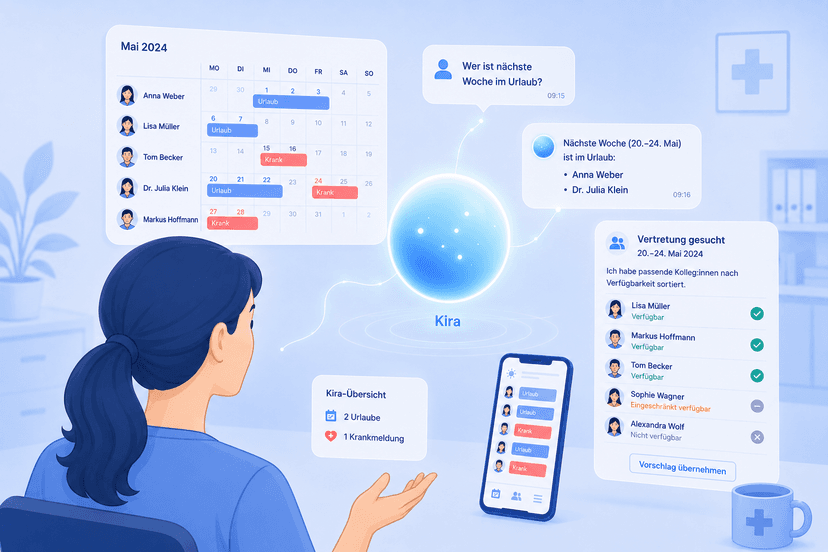
AI Vacation Planning: How the Kira Assistant Handles Absences for You
AI vacation planning sounds like a far-off promise – yet the medishift assistant Kira already takes absences off your plate today. We show you what AI vacation planning really does, where it is heading, and how to start right away.
Sources
This content references the following public sources:
- [1]Working Hours Act (ArbZG) — Federal Ministry of Justice (2024-01-01)
Full text of the German Working Hours Act with maximum hours, rest periods, and breaks that every roster must respect, whether made by hand or with AI.
- [2]Works Constitution Act (BetrVG) — Federal Ministry of Justice (2024-01-01)
Legal basis for works council co-determination, including the introduction of technical systems used to monitor behaviour and performance.
- [3]Artificial Intelligence and Data Protection — Federal Commissioner for Data Protection and Freedom of Information (2025-01-01)
Guidance from the German data protection authority on the compliant use of AI systems, including in the employment context.
- [4]Artificial Intelligence: Security — Federal Office for Information Security (2025-01-01)
Recommendations from the BSI on the secure development and operation of AI systems in organisations.
- [5]Regulation (EU) 2024/1689 (AI Act) — Official Journal of the European Union (2024-07-12)
Full text of the European AI Act, which establishes a risk-based framework for the use of artificial intelligence in the EU.
- [6]Use of information technology in enterprises — Federal Statistical Office (2025-01-01)
Statistics from the German Federal Statistical Office on the adoption of digital technologies and artificial intelligence in German companies.